Case Study 02
Campaign Creator
Designing Bluumly's flagship feature — turning products or any web page into a ready-to-publish social campaign.
Overview
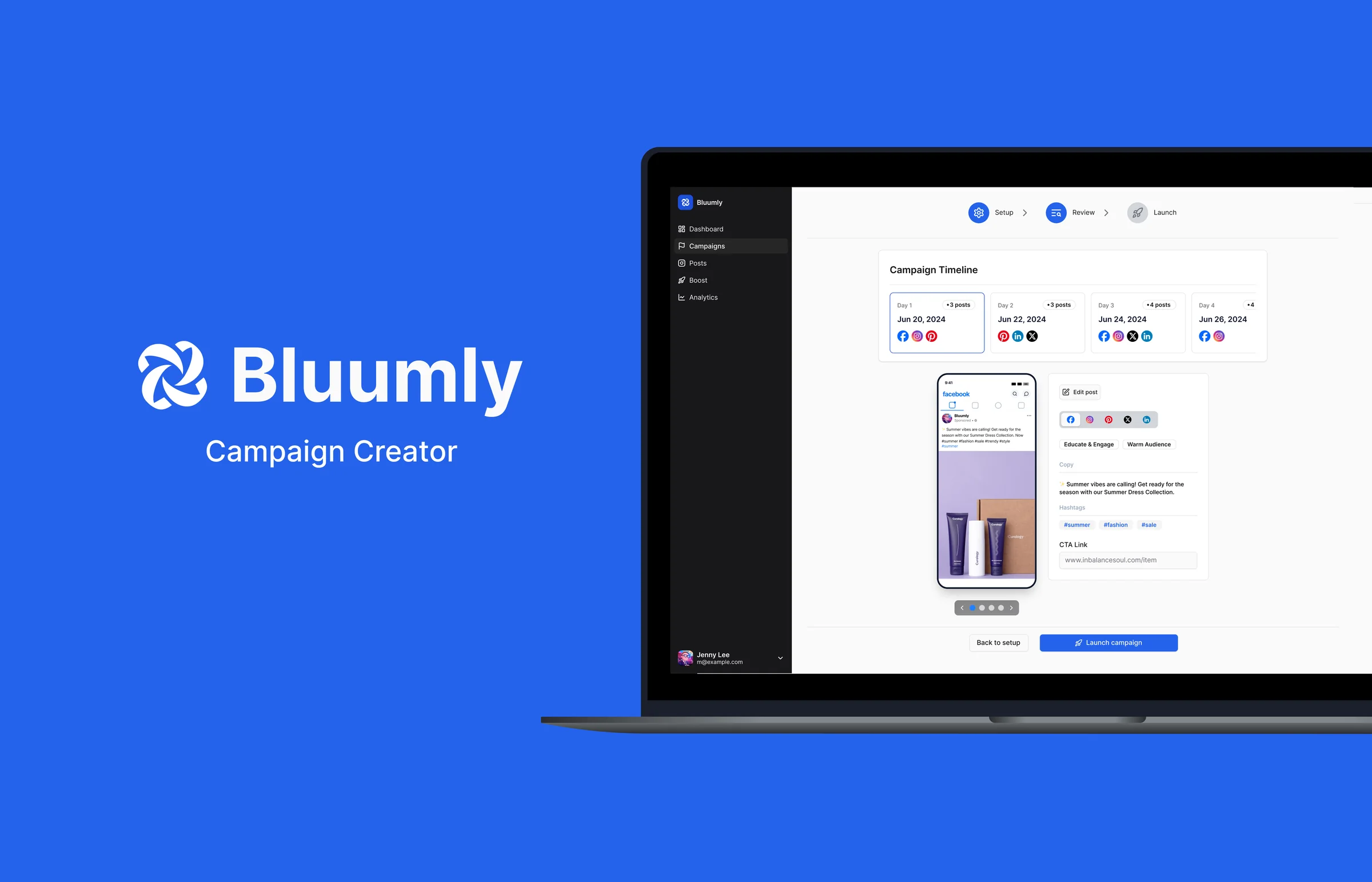
At Bluumly, I designed our flagship feature: the Social Media Campaign Creator. It let Shopify merchants turn products — or content sourced from any web URL — into ready-to-publish social campaigns across six platforms, without needing a content team or a design background.
The Challenge
Campaign creation required a genuinely large amount of setup — product source, audience, goal, timing, platform selection, and content generation all had to happen before a single post existed. The risk was obvious: too much configuration up front, and users would abandon before ever seeing value. The challenge was making a necessarily complex process feel quick and painless.
The Solution
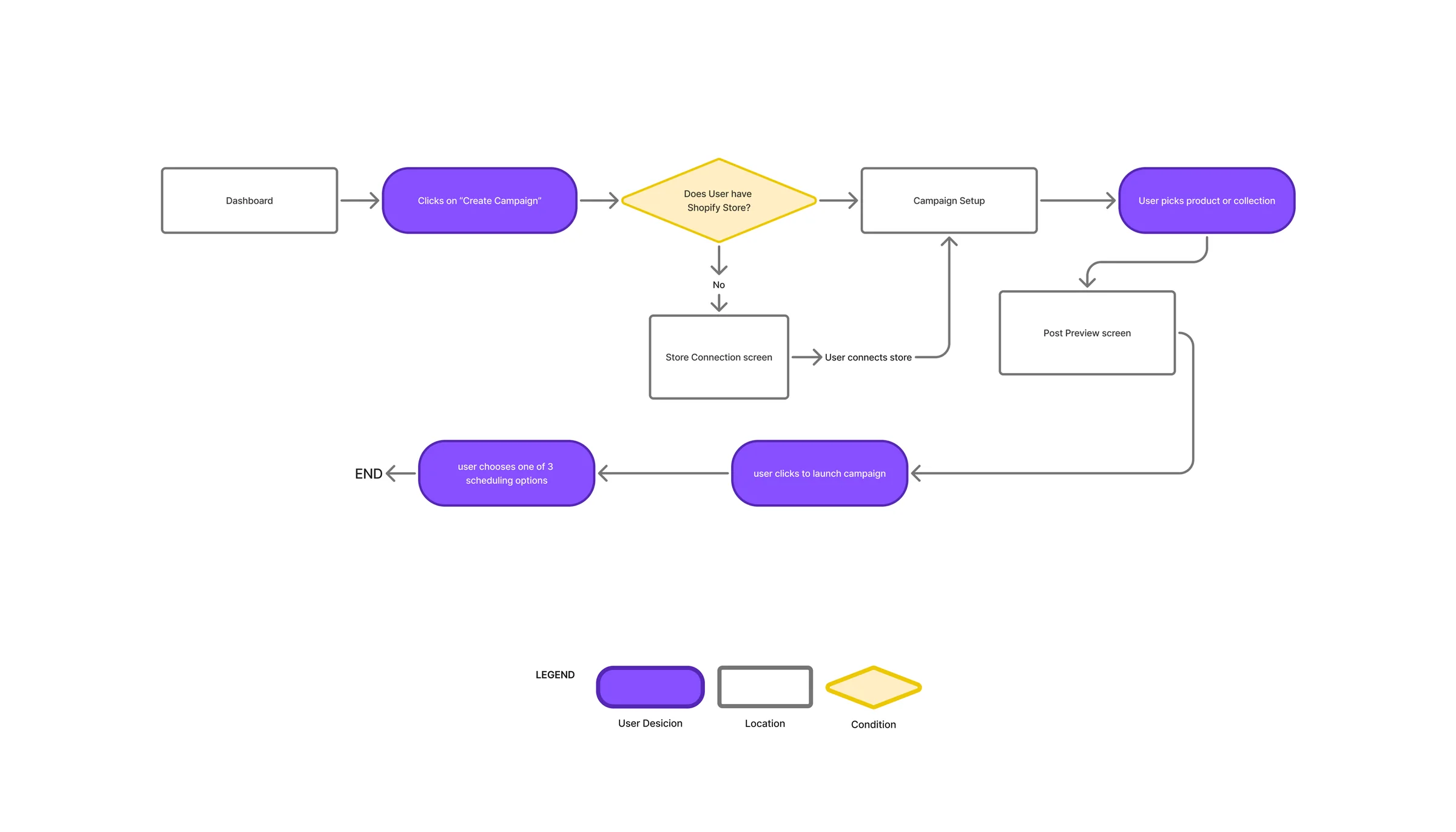
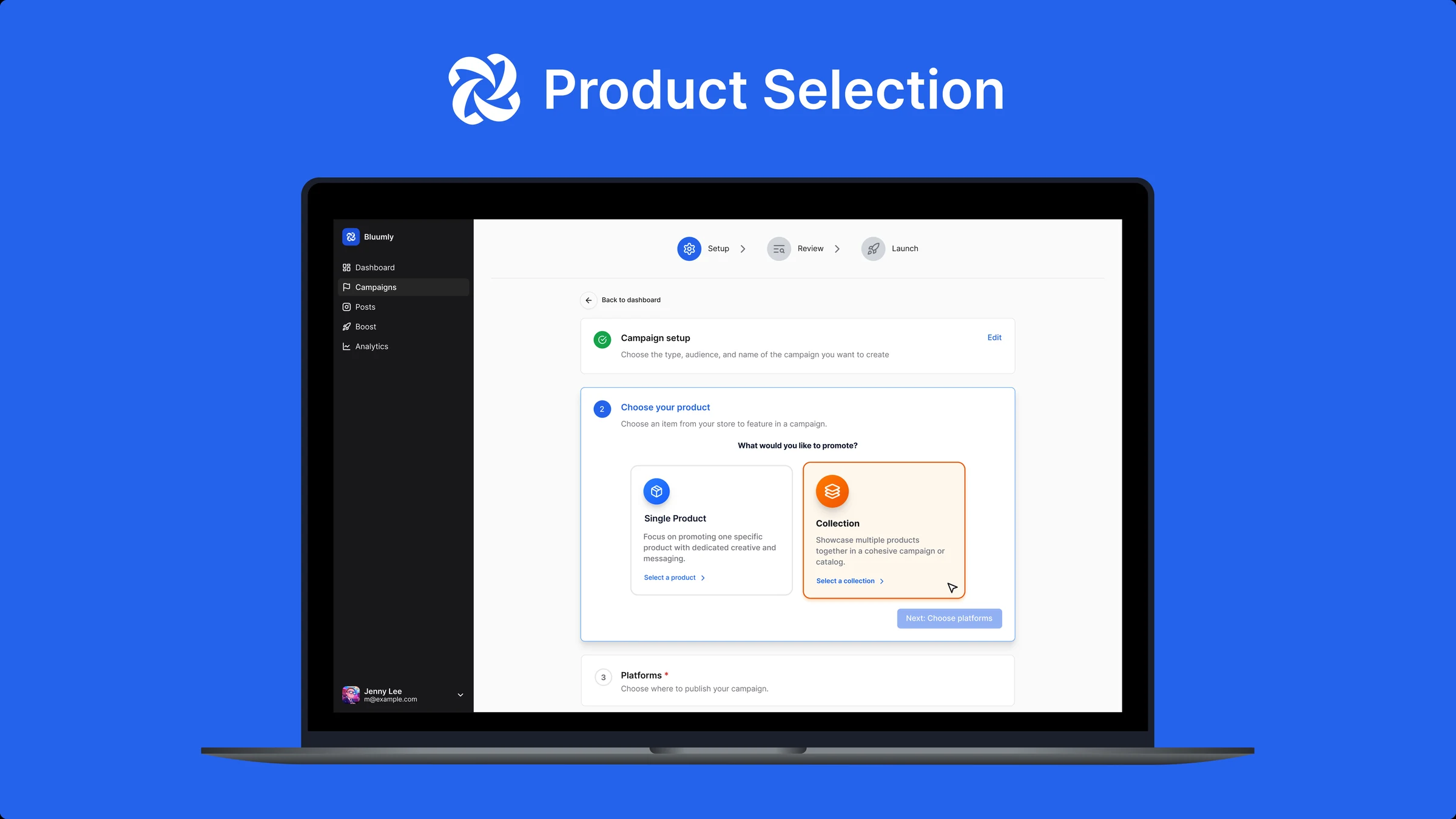
Users had two paths into content creation: Shopify merchants could pull products or collections directly from their connected store, while non-Shopify users could paste a web URL — Bluumly's LLM would read the page to extract context, product imagery, and a CTA link. Both paths fed the same generation engine, so content quality stayed consistent regardless of source.
To manage the setup complexity, I used a progressive flow: campaign name, target audience, goal, and start date were broken into small, collapsible sections rather than one long form — so users only ever faced one decision at a time. Platform support spanned LinkedIn, Facebook, Instagram, TikTok, Pinterest, and X, including native support for Instagram Reels and Stories.
Review & Refine
Once a campaign was generated, users could preview every post inside an iPhone mockup that simulated the real platform UI — giving a true sense of how content would actually appear before publishing. From there, built-in editing tools (cropping, carousel rearrangement, brightness and saturation adjustments) let users fine-tune without leaving Bluumly or opening a separate design tool.